Every field App Store Connect asks for, in full and in the language already on the
site, with the screenshot files to upload beside them. Nothing here is submitted and
nothing is abbreviated — this is the copy deck to paste from, so every description is
printed whole.
Draft for review · version 1.0 · com.starblocker.app
Every field, ready to paste
Character counts are live and count against Apple's limit for that field.
App Name
StarBlocker
Subtitle
An intention-based blocker
The site's own line for the product, and it fits. It says the category and
the difference in four words, which is all a subtitle has room to do.
Promotional Text
Other blockers need a list of sites. StarBlocker's AI reads what is on your screen and asks one question: does this serve your intentions?
Editable without shipping a build — the one field to change when a feature lands.
Comma-separated, no spaces after commas — Apple counts them. The app name and
subtitle are already indexed, so “StarBlocker” and “blocker” are not repeated here.
Description
A blocker that knows your intentions.
Other blockers need lists of sites and keywords. StarBlocker reads what is actually on your screen and asks one question: does this serve your intentions?
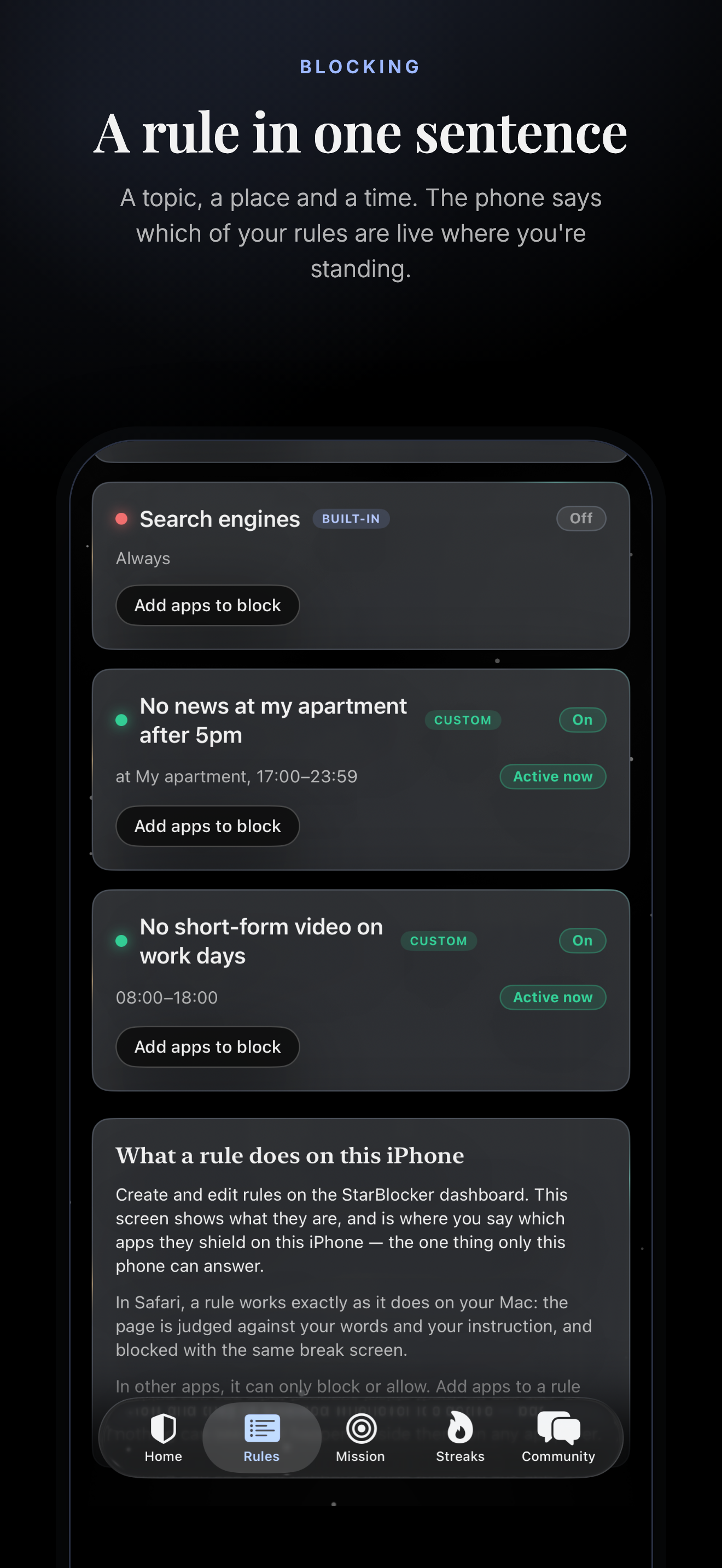
"No news at my apartment after 5pm." That is a complete StarBlocker rule — a topic, a place and a time, in one sentence. No lists to maintain, and no new mirror site to add.
THREE WAYS TO CONTROL YOUR CONTENT
• Blocking — a topic switched off. Adult content, gambling, news, shopping. The AI decides what counts, so new sites don't slip through.
• Time limits — minutes per day, shared across every device. Run out and it's blocked until midnight.
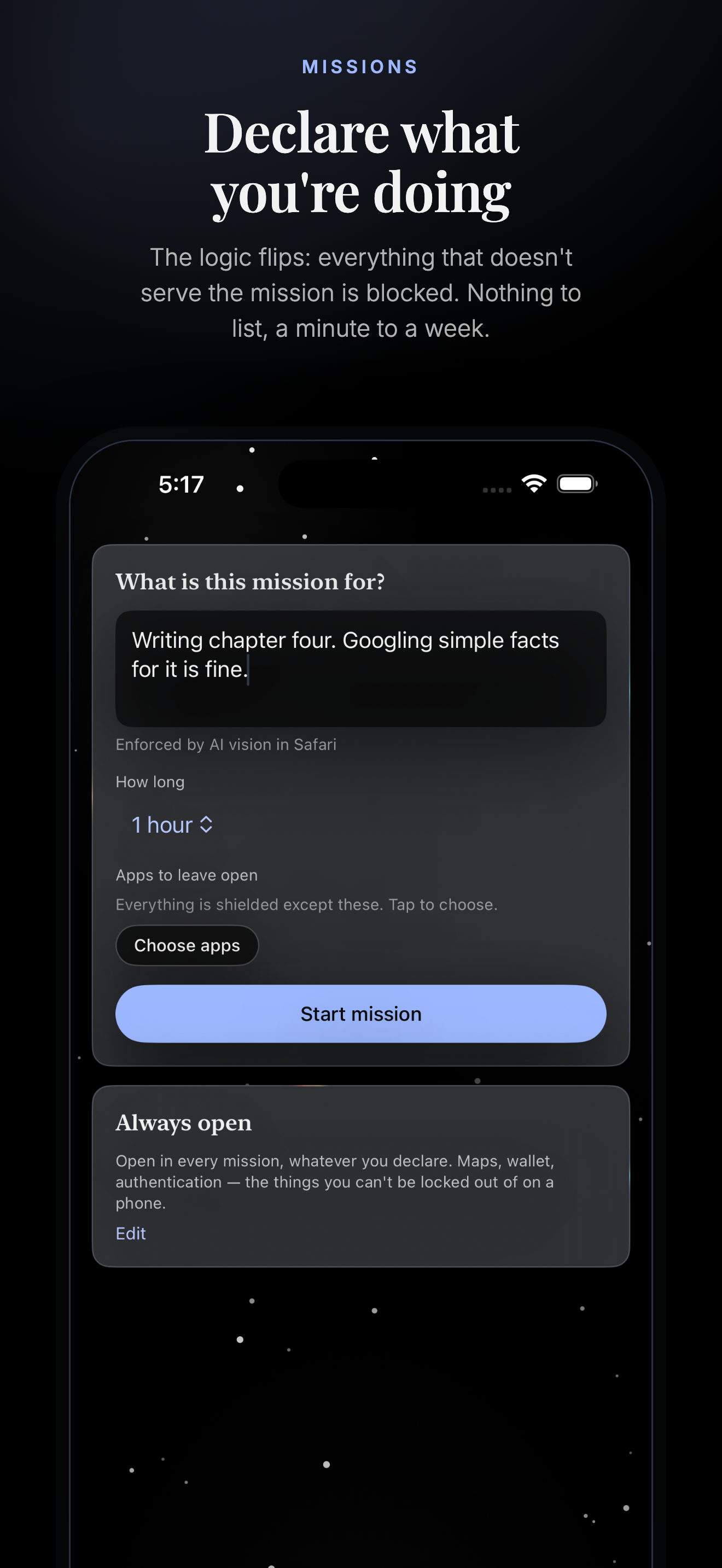
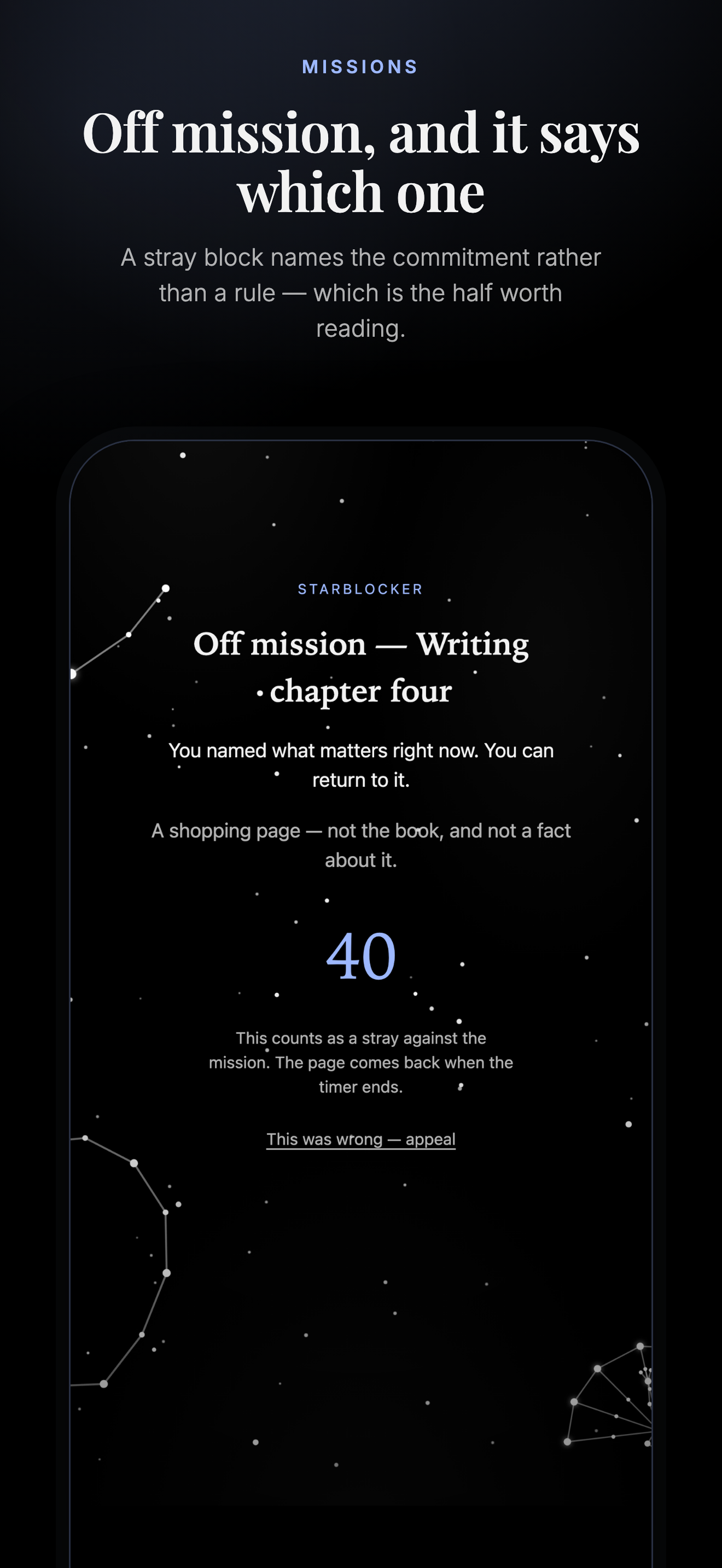
• Missions — declare what you're doing and the logic flips: everything that doesn't serve the mission is blocked. A minute to a week.
A rule can apply always, on a schedule, at a location, or on a Wi-Fi network — alone or combined. Up to five conditions on one rule.
WHEN YOU SLIP
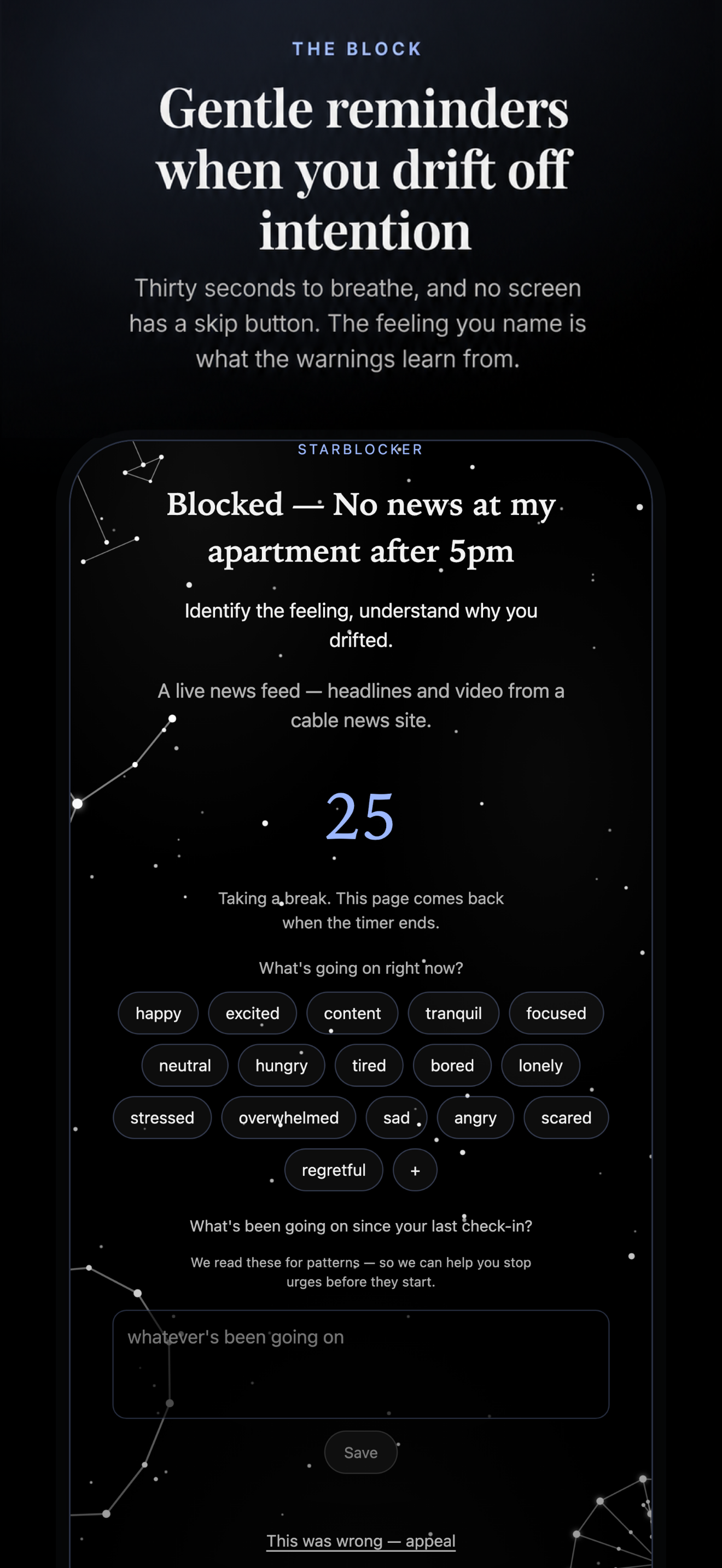
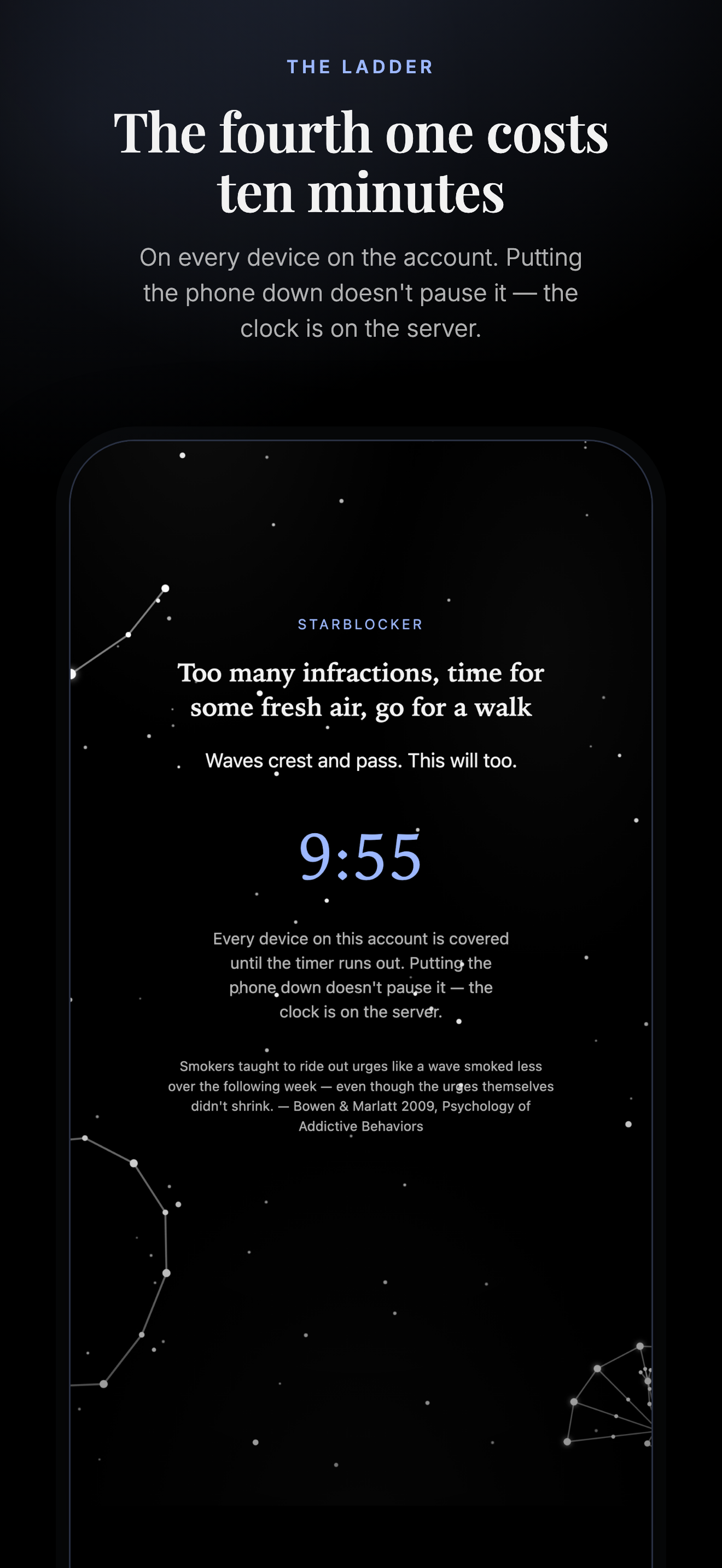
The screen is covered and a countdown runs. Thirty seconds the first time, a minute after that, and if you keep going, a ten-minute break on every device on the account. Thirty seconds is enough to breathe and remember what you meant to be doing. No screen has a skip button.
TURNING IT ON IS FREE. TURNING IT OFF COSTS SOMETHING.
There is no "disable now" button anywhere. Disabling schedules a teardown fifteen minutes out, and weakening a live rule means retyping a paragraph the server checks. It is a commitment device, not security software — the goal is to remove the impulsive off switch, not to fight you.
WHAT IT DOES ON IPHONE
StarBlocker sees everything you do in Safari — the same AI, the same rules, the same countdown as the Mac app. It cannot see inside other apps; Apple does not allow it. Those can be blocked or time-limited through Screen Time, but never judged, and a blocked app shows a locked screen for as long as the rule applies.
A GOAL-AWARE BLOCKER
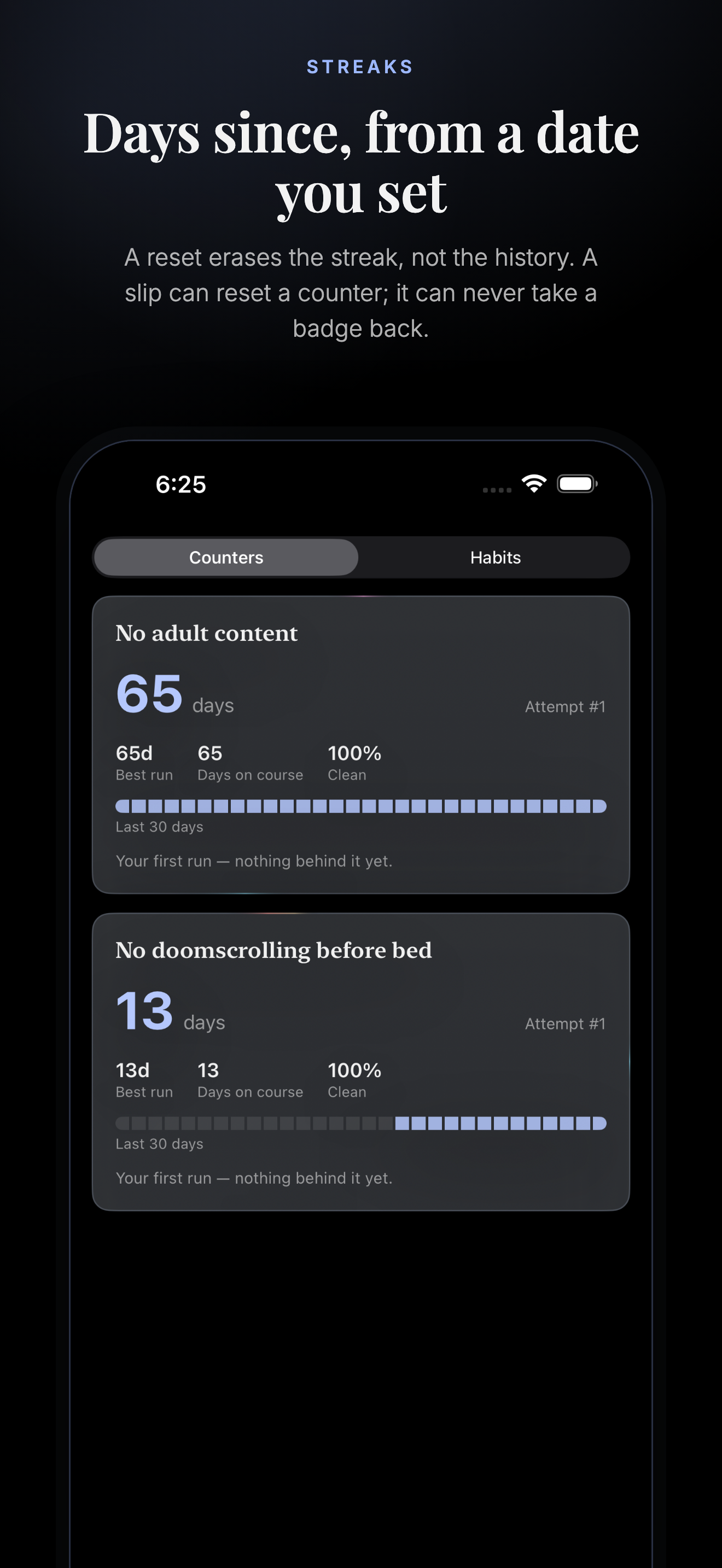
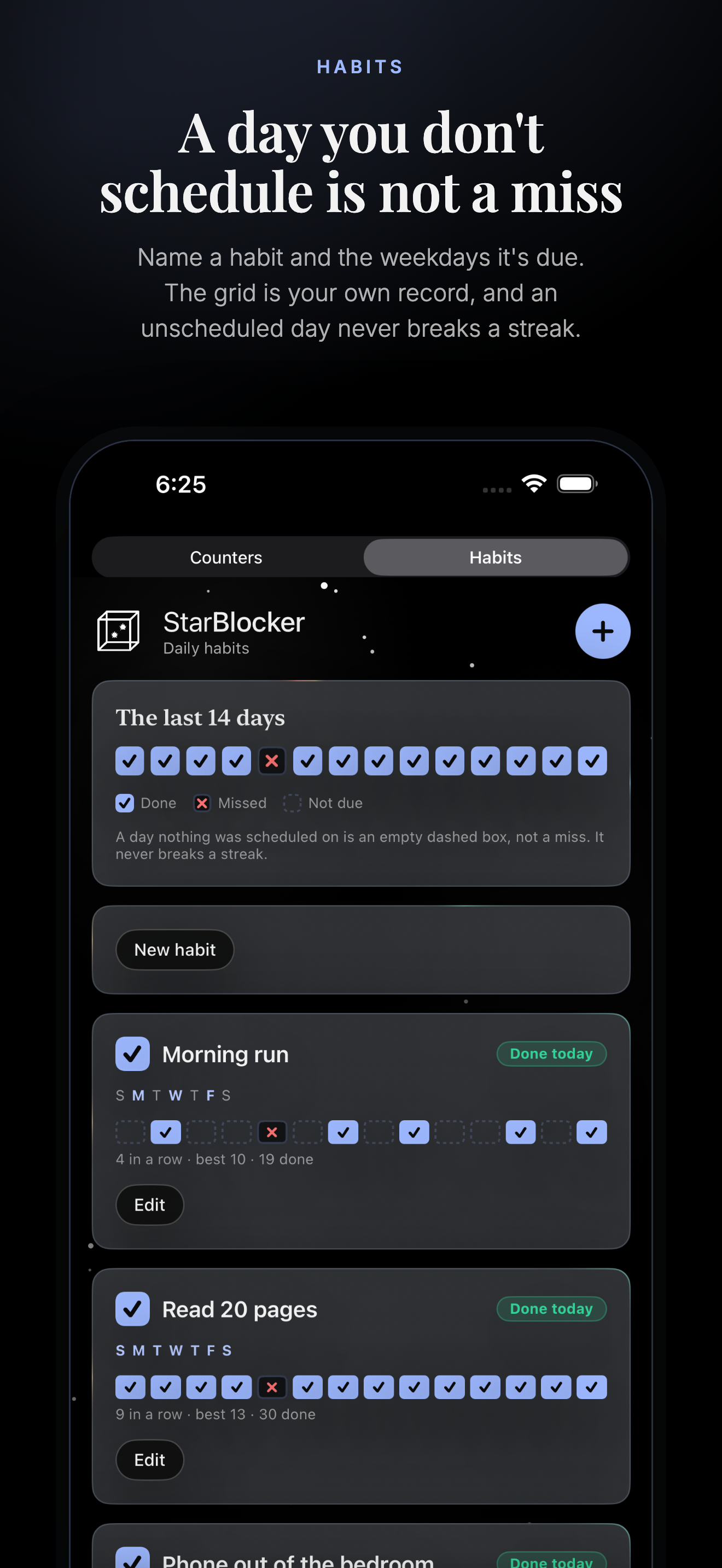
Habits, day counters and a daily check-in live in the same app as the blocking. Name a habit and the days it's due — a day you don't schedule is not a miss. Start a counter and it counts; a reset erases the streak, not the history. Badges are permanent: a slip can reset a counter, it can never take a badge back.
STREAKS AND WARNINGS
Your device activity, your check-ins and your streak resets build a record of when things actually go wrong. Once it holds up, you get a heads-up walking into the window — in time to make the next hour intentional.
STAY ACCOUNTABLE
Add up to two partners. They hear the moment protection weakens — a rule switched off, a device gone quiet, an uninstall — and you can put your settings behind their approval. They see the shape, never the screen: rule names and events, never a screenshot, a URL or a keyword.
SCREENSHOTS ARE NEVER STORED
Each capture is classified in the moment and discarded. What is kept is a line of text: the time, what you were doing, what tripped. Nothing from your screen ever appears in the community, and your check-ins are never shared with your partners.
ONE ACCOUNT, EVERY DEVICE
Mac, Windows, iPhone and Android — five devices and two accountability partners, with every feature on all of them.
SUBSCRIPTION
Current monthly and annual prices are shown at starblocker.io and confirmed by Polar at checkout. Trial availability and duration are confirmed at checkout. Your account and subscription are managed at starblocker.io. There is no free tier — the subscription pays for the vision model looking at your screen thousands of times a day. That is the honest reason.
Privacy Policy: https://www.starblocker.io/privacy
Terms of Use: https://www.starblocker.io/terms
What's New in This Version
First release.
StarBlocker for iPhone: Safari judged by the same AI as the Mac app, Screen Time shields for everything else, and the rest of the product — rules, time limits, missions, habits, day counters, streaks and the community — on the phone.
URLs and contact
Support URL
https://www.starblocker.io/
Marketing URL
https://www.starblocker.io/
Privacy Policy URL
https://www.starblocker.io/privacy
Copyright
2026 StarBlocker
Categories and rating
Field
Value
Primary category
Productivity
Secondary category
Health & Fitness
Age rating
12+ — every content question answered “None”. The app shows no
mature material; it exists to keep it off the screen. The rating is carried by the
user-generated community forum, which is moderated before a post is stored, has
reporting on every post and message, and can ban an account.
Content rights
Contains no third-party content.
Price
Free to download. Subscription sold and managed on the web.
Screenshots
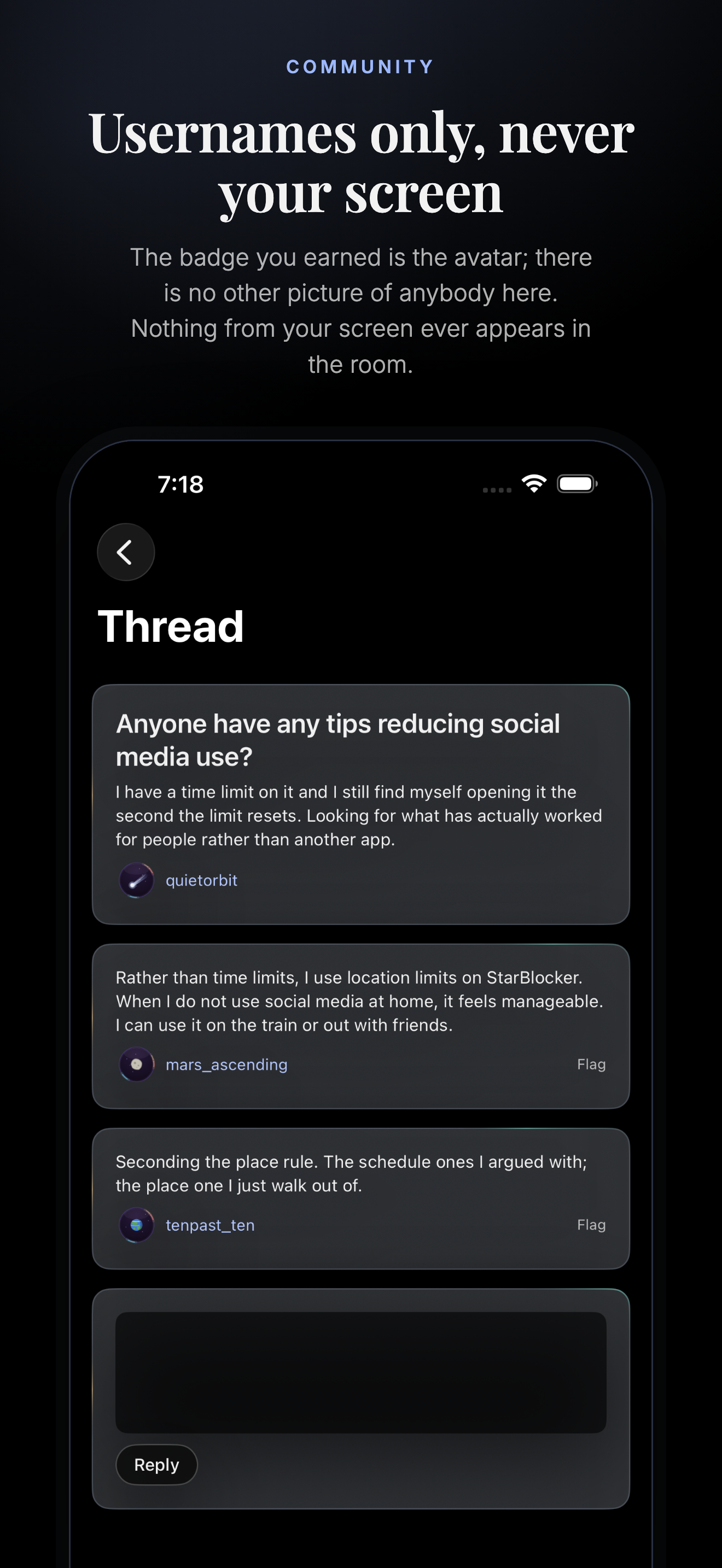
Nine frames at 1320 × 2868 — the 6.9-inch size Apple requires, which up-scales to every
other iPhone. Chosen for variety rather than coverage: four are the break screen's own
faces, rendered from the Safari extension's blockscreen.js, and the rest are
real captures from the app on an iPhone 17 Pro Max simulator, picked because they are a
form, big numerals, a checkbox grid and a conversation rather than five more lists.
Upload in this order — the first three are what search results show.
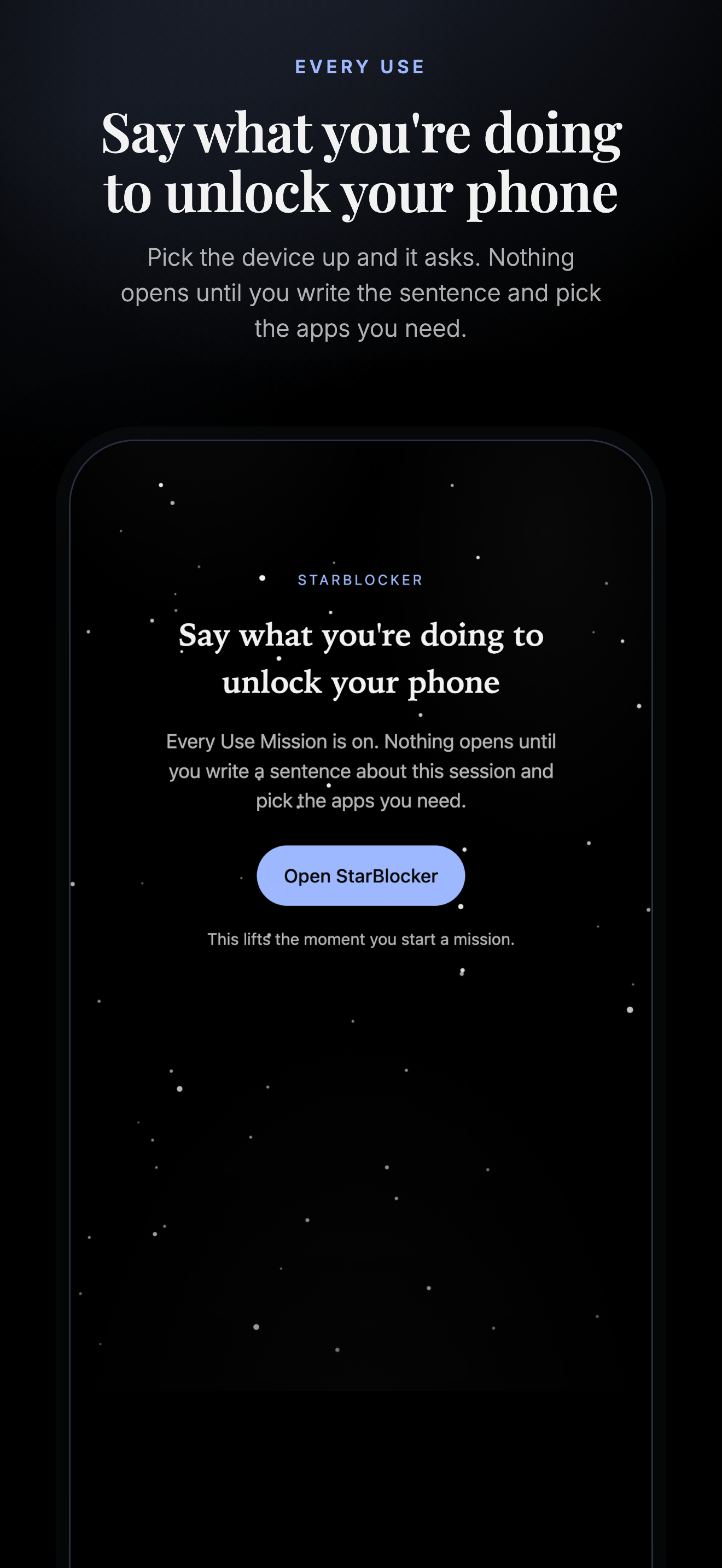
01 · The block — “Blocked, and asked how you are”02 · Blocking — “A rule in one sentence”03 · Missions — “Declare what you're doing”04 · Missions — “Off mission, and it says which one”05 · The ladder — “The fourth one costs ten minutes”06 · Every Use — “Say what you're doing to unlock your phone”07 · Streaks — “Days since, from a date you set”08 · Habits — “A day you don't schedule is not a miss”09 · Community — “Usernames only, never your screen”
App icon
1024 × 1024, no alpha — ios/StarBlocker/Assets.xcassets
App privacy
The nutrition label, answered from the privacy policy. Every purpose is App Functionality
or Analytics; nothing is used for advertising, and nothing tracks you across other
companies' apps.
Data type
Collected
Linked to you
Used to track you
Purpose
Contact info — email address
Yes
Yes
No
App functionality, account
Identifiers — device ID you register
Yes
Yes
No
App functionality
Usage data — the activity log: detected activity, the app or site, the rule it matched, a timestamp
Yes
Yes
No
App functionality, analytics
User content — rules you write, check-in notes, forum posts
Yes
Yes
No
App functionality
Location — coarse position and Wi-Fi network name, for rules set to a place
Yes
Yes
No
App functionality
Health & fitness
No
—
—
—
Photos, camera, microphone, contacts
No
—
—
—
Screen images
Not stored
—
—
Each Safari capture is classified in the moment and discarded. It is never written to disk on the device or the server.
Before you submit
Four things App Review will look at, and what to have ready.
Paid outside the App Store — Guideline 3.1.3(b)
The subscription is sold on starblocker.io and the app only enforces it. That is
allowed for a multiplatform service, but only if the app never links to, or steers a
user toward, the web purchase. Check the sign-in screen's line — “Your StarBlocker
account, rules and subscription are managed on the web” — reads as a statement of fact
and not as a call to buy, and that no screen contains a purchase link or a price.
Reviewers reject this more often than any other line in this document. Decide in
advance whether the answer is “multiplatform service” or “add an in-app purchase”.
Family Controls needs Apple's approval
The Distribution entitlement for Family Controls is granted by request and gates
TestFlight and the App Store both. Development works without it; submission does not.
Every App ID that touches it needs it on its own — com.starblocker.app,
.shield and .monitor — plus the App Group.
Give the reviewer an account and a map
The app enforces an account it cannot create, so a reviewer who signs in with nothing
sees a login screen and stops. Provide a demo account with rules already written, and
say in the review notes that Safari is a full client through the Web Extension while
other apps are governed through Screen Time — otherwise “it didn't block Instagram”
reads as a bug rather than as the platform.
Location, and why it asks
Background location is used to keep a rule set to a place enforced when you arrive.
The usage strings already say so in the words a person would use; keep them and the
feature visible in the screenshots, because a location permission with no visible
feature is the other common rejection.
Suggested App Review notes
Notes for review
StarBlocker is a self-accountability content blocker. An account is required — please use the demonstration account below, which already has rules, time limits, habits and streaks set up.
Email: (demo account)
Password: (demo password)
Two things are worth knowing before you test:
1. Safari is a full client. The Safari Web Extension captures the visible page about every ten seconds and sends it for classification against the user's rules. To see a block, switch the extension on in Settings > Apps > Safari > Extensions, set every website to Allow, then browse to something a rule covers. A full-page break screen with a countdown appears.
2. Other apps can be blocked, never judged. iOS does not let an app see inside another app, so everything outside Safari is governed through Apple's Family Controls: a rule can shield an app, and a time limit can cap it, but nothing reads what happens inside it. The app says this on its own setup screen and on the Home tab; it is a platform limit, not a defect.
The subscription is sold and managed on starblocker.io and is used across our macOS, Windows, iPhone and Android apps. The app contains no purchase flow and no link to one.
Screen captures are classified in the moment and discarded — no screenshot is ever written to disk on the device or on our servers.
Fill in the demo credentials before submitting. Don't paste live credentials into this page.