Every field the Play Console asks for, in full — store listing, data safety, content
rating and the policy declarations this app actually needs — with the screenshot files
to upload beside them. Nothing is abbreviated: the full description is printed whole.
Draft for review · versionName 1.0.0 · com.starblocker.app
Store listing, ready to paste
Character counts are live and count against Play's limit for that field.
App name
StarBlocker
Play forbids promotional text, all-caps and emoji in the title, so the
descriptor stays in the short description where it belongs.
Short description
An intention-based blocker. It reads your screen, not a list of sites.
Full description
A blocker that knows your intentions.
Other blockers need lists of sites and keywords. StarBlocker reads what is actually on your screen and asks one question: does this serve your intentions?
"No news at my apartment after 5pm." That is a complete StarBlocker rule — a topic, a place and a time, in one sentence. No lists to maintain, and no new mirror site to add.
THREE WAYS TO CONTROL YOUR CONTENT
• Blocking — a topic switched off. Adult content, gambling, news, shopping. The AI decides what counts, so new sites don't slip through.
• Time limits — minutes per day, shared across every device. Run out and it's blocked until midnight.
• Missions — declare what you're doing and the logic flips: everything that doesn't serve the mission is blocked. A minute to a week.
A rule can apply always, on a schedule, at a location, or on a Wi-Fi network — alone or combined. Up to five conditions on one rule.
WHEN YOU SLIP
The screen is covered and a countdown runs. Thirty seconds the first time, a minute after that, and if you keep going, a ten-minute break on every device on the account. Thirty seconds is enough to breathe and remember what you meant to be doing. No screen has a skip button.
TURNING IT ON IS FREE. TURNING IT OFF COSTS SOMETHING.
There is no "disable now" button anywhere. Disabling schedules a teardown fifteen minutes out, and weakening a live rule means retyping a paragraph the server checks. It is a commitment device, not security software.
WHAT IT DOES ON ANDROID
StarBlocker reads the screen in front of you — in every app, not just the browser. It only looks while one of your rules is active, and only takes a picture when a rule needs one.
Reading the screen as an image needs Android's screen-recording permission, and StarBlocker isn't fully set up without it: a rule can only judge what it can read, so a video or a photo with no text on screen goes unchecked. While it's on, Android keeps a cast indicator in your status bar, and a restart turns it off until you grant it again — StarBlocker will ask you to.
A GOAL-AWARE BLOCKER
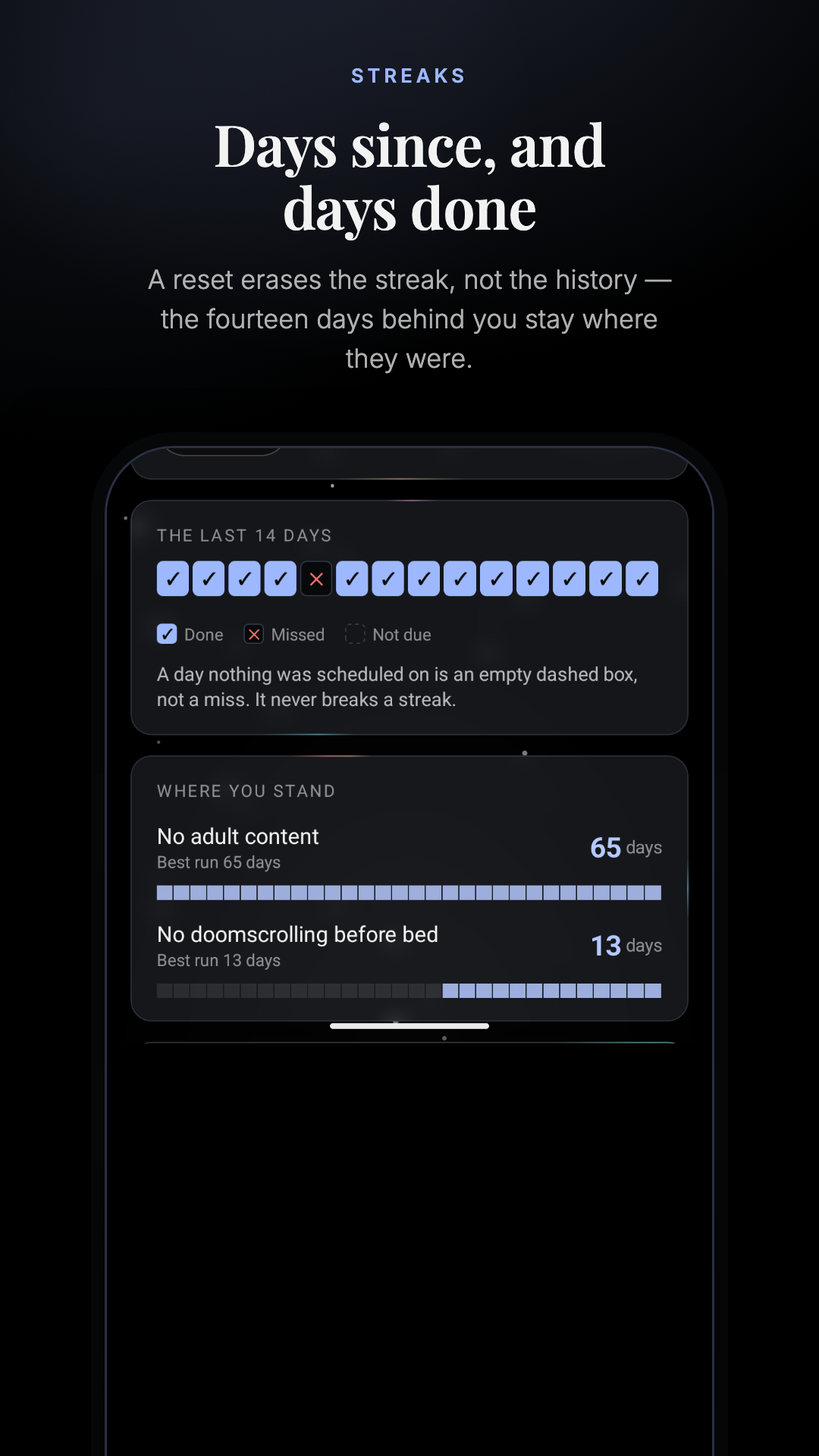
Habits, day counters and a daily check-in live in the same app as the blocking. Name a habit and the days it's due — a day you don't schedule is not a miss. Start a counter and it counts; a reset erases the streak, not the history.
STREAKS AND WARNINGS
Your device activity, your check-ins and your streak resets build a record of when things actually go wrong. Once it holds up, you get a heads-up walking into the window.
STAY ACCOUNTABLE
Add up to two partners. They hear the moment protection weakens — a rule switched off, a device gone quiet, an uninstall — and you can put your settings behind their approval. They see the shape, never the screen.
SCREENSHOTS ARE NEVER STORED
Each capture is classified in the moment and discarded. What is kept is a line of text: the time, what you were doing, what tripped.
ONE ACCOUNT, EVERY DEVICE
Mac, Windows, iPhone and Android — five devices and two accountability partners, with every feature on all of them.
PERMISSIONS, AND WHY
• Accessibility — reads the app and the text in front of you, which is how a rule is judged.
• Screen capture — lets a rule judge images and video, not only text.
• Display over other apps — draws the break screen.
• Usage access — counts app time toward your daily limits.
• Location — switches on rules you set for a place, and reads your Wi-Fi network name for Wi-Fi rules.
ACCOUNT REQUIRED
An existing StarBlocker account with an active subscription is required for screen monitoring. Purchases are not offered in this app.
Privacy Policy: https://www.starblocker.io/privacy
Terms of Use: https://www.starblocker.io/terms
Store settings and contact
Field
Value
App or game
App
Free or paid
Free
Category
Productivity
Tags
Self-improvement · Focus · Digital wellbeing
Email
support@starblocker.io
Website
https://www.starblocker.io/
Privacy policy
https://www.starblocker.io/privacy
Contains ads
No
In-app purchases
No — purchases are not offered in the Android app
Minimum Android version
Android 8.0 (API 26) — minSdk = 26, for foreground services, the overlay window type and JobScheduler
Target audience
13 and older. Not designed for children under 13.
Content rating (IARC)
Complete the questionnaire truthfully and
disclose the moderated community/user-generated content. The current questionnaire
calculates 13+.
Screenshots
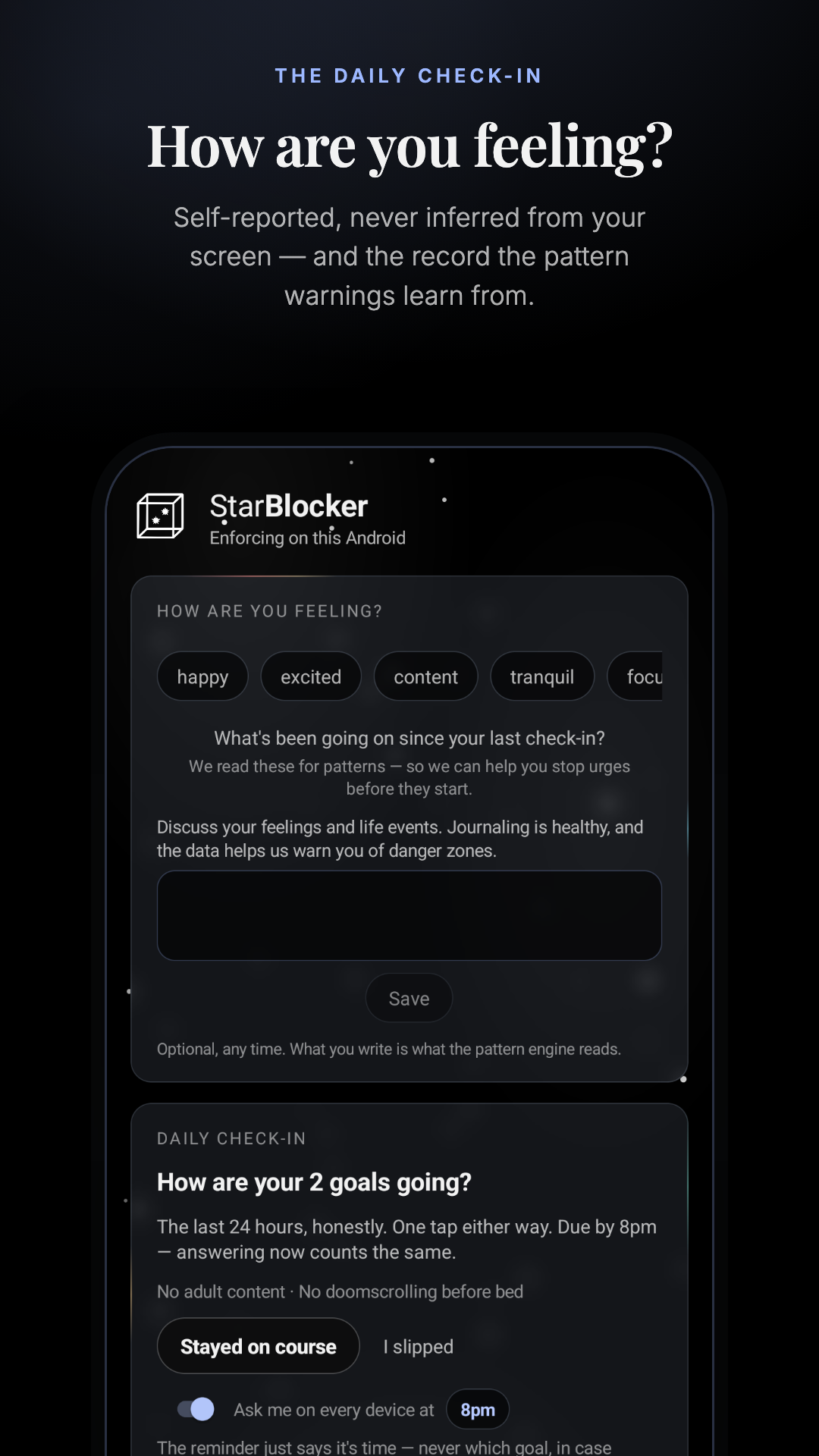
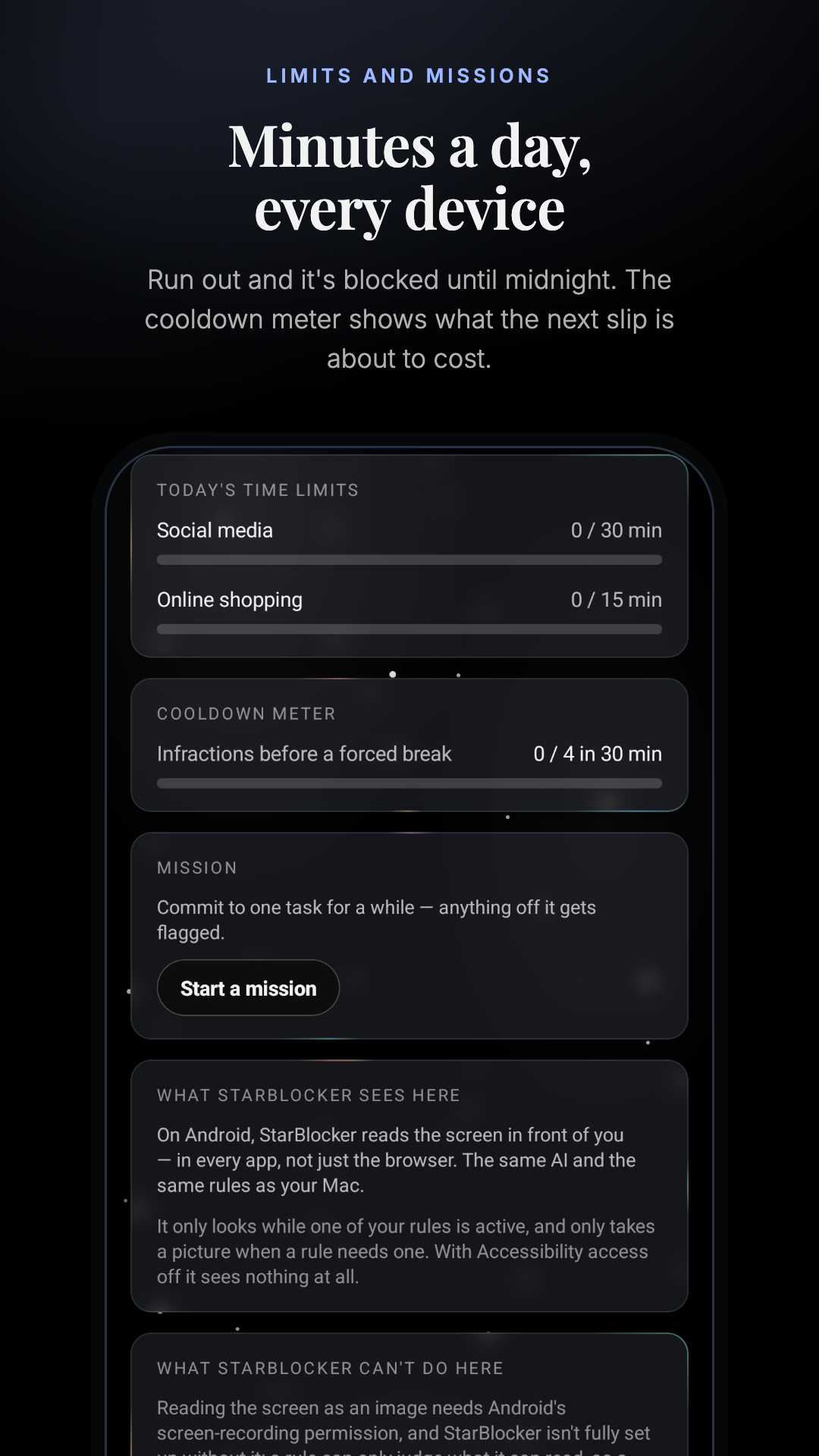
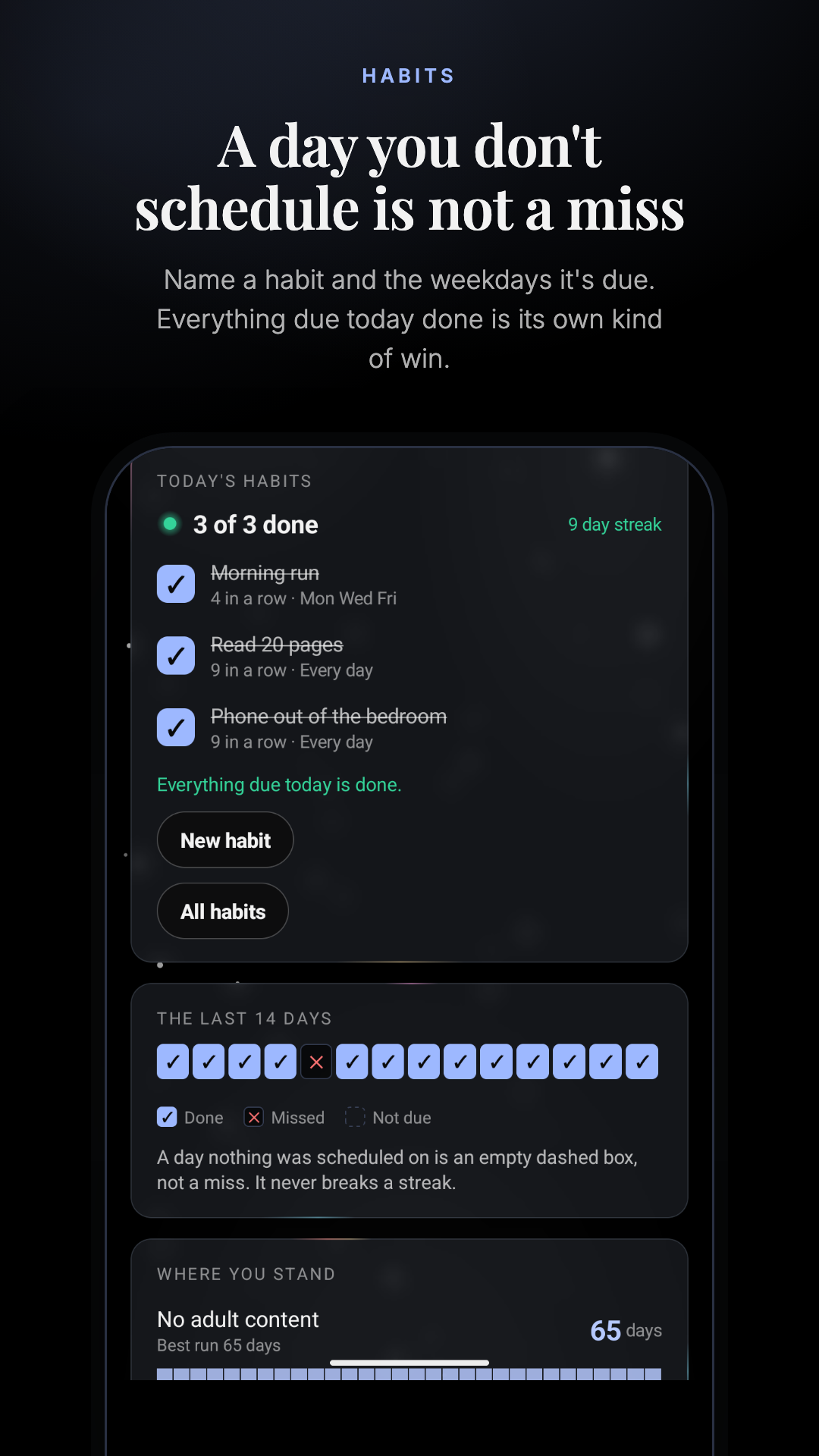
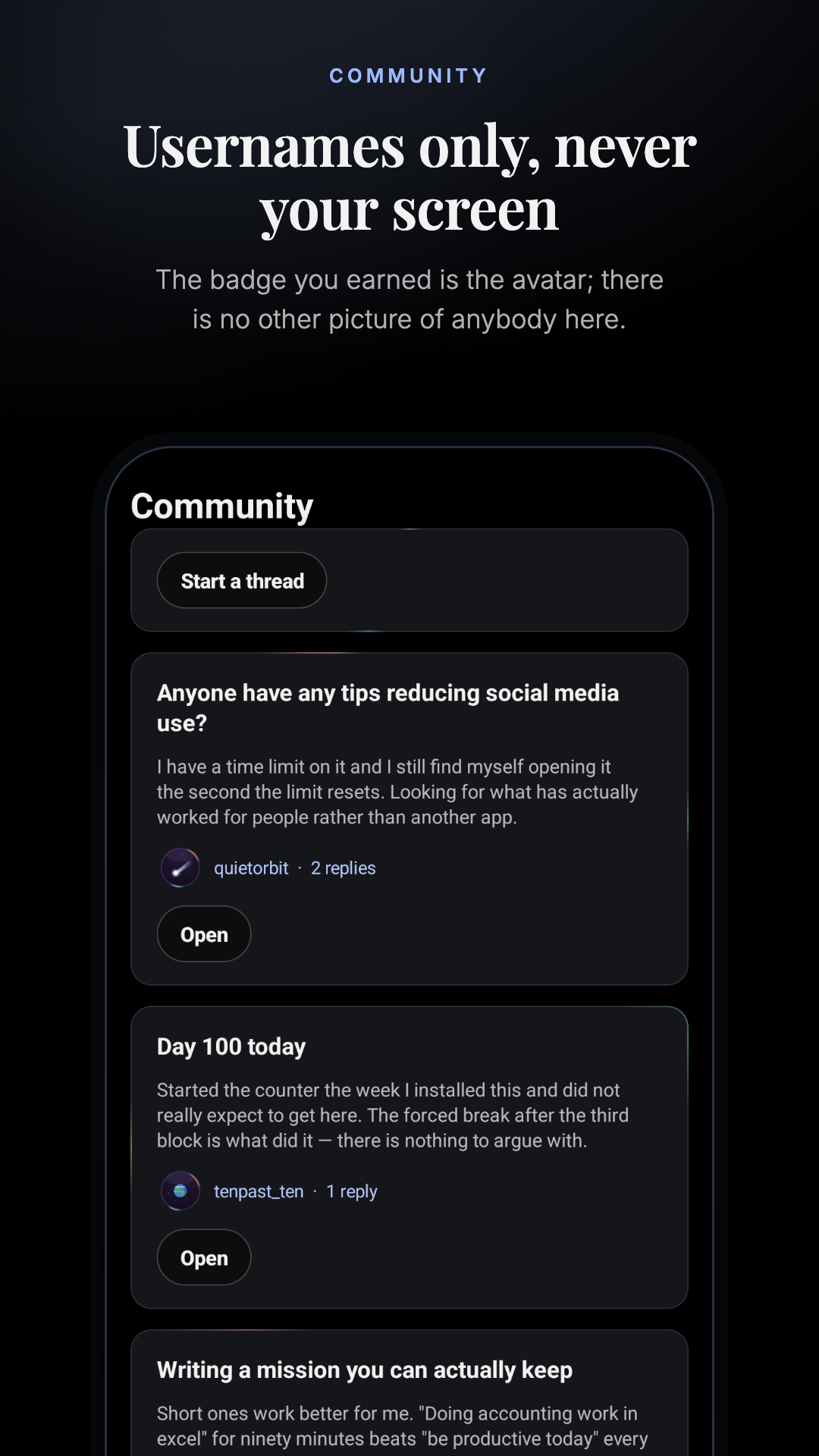
Five frames at 1080 × 1920 (9:16) — inside Play's limits and well above the
two-screenshot minimum. Real captures from the app on an Android emulator against a
demonstration account, cropped so each one leads with something different: the feeling
chips, the limit and cooldown meters, the habit rows, the forum, and the day counters.
01 · The daily check-in — “How are you feeling?”02 · Limits and missions — “Minutes a day, every device”03 · Habits — “A day you don't schedule is not a miss”04 · Community — “Usernames only, never your screen”05 · Streaks — “Days since, and days done”
The Data safety form, answered from the privacy policy. Nothing is shared with third
parties for their own use; the AI providers who classify a capture are processors, and
the capture is discarded after the answer comes back.
Data type
Collected
Shared
Required
Purpose
Personal info — email address, name
Yes
No
Required
Account management
Personal info — user IDs (the username you pick for the forum)
Yes
No
Optional
App functionality
Location — approximate and precise location
Yes
No
Optional
App functionality — rules set to a place
App activity — app interactions, other user-generated content (rules, check-in notes, forum posts)
Yes
No
Required
App functionality, analytics
Device or other IDs
Yes
No
Required
App functionality
Browsing history — site context used by active rules
Yes
No
Optional
App functionality
Photos and videos — screen captures
Not collected
—
—
A capture is classified in the moment and discarded. It is never written to disk on the device or the server, so it is processed but not collected.
Financial info, contacts, messages, calendar, health
No
—
—
—
Also tick: encrypted in transit, users can request deletion, and — for the
journal — users can delete data in the app, which is true: check-ins, notes, learned
words and reset reflections download in one file and delete in one action.
Before you submit
Android's hurdles are all permission declarations, and this app needs five of them.
Each one is a form in the Play Console that must be answered before review, and each is a
common reason a first submission is rejected.
Accessibility Service — the one that decides the submission
Play treats BIND_ACCESSIBILITY_SERVICE as sensitive: it is meant for
accessibility, and using it for anything else needs a documented justification, an
in-app prominent disclosure before the grant, and usually a demo video. StarBlocker's
use — reading the app and the text in front of you so a rule can be judged — is a
legitimate one, and the setup screen already discloses it in plain words. Record the
video showing that disclosure and the grant, and say plainly that the service reads
screen content only while a rule is active.
If this one is refused, nothing else in the listing matters.
Background location needs its own form and video
ACCESS_BACKGROUND_LOCATION requires the background-location declaration:
what the feature is, why foreground location is not enough, and a video of it in use.
Here it is a rule set to a place staying enforced when you arrive with StarBlocker
closed — which is exactly the kind of core-feature answer the form wants.
Foreground service types
The manifest declares dataSync, mediaProjection and
location service types. Android 14 and Play both want each one justified,
with a short description of the user-visible task it performs. The cast indicator in the
status bar during screen capture is a point in your favour: say so.
Android controls stay in the user's hands
The Play build does not declare Device Admin and Accessibility never prevents uninstall,
force-stop, permission changes, or settings access.
Consumption-only Play build
The Android app can recognize an existing entitled account but contains no purchase
button, checkout link, price, promotion, or call to buy elsewhere. Its sign-in screen says
only that purchases are not offered in this app.
Suggested testing instructions
Instructions for the reviewer
StarBlocker is a self-accountability content blocker. An account is required — please use the demonstration account below, which already has rules, time limits, habits and streaks set up.
Email: (demo account)
Password: (demo password)
After signing in, the home screen lists the grants the app needs and what each one is for. To see a block:
1. Grant Accessibility access (Settings > Accessibility > StarBlocker). This is how the app reads the app and the text in front of you so a rule can be judged. It reads screen content only while one of your rules is active.
2. Grant "Display over other apps" — this draws the break screen.
3. Optionally grant screen capture, which lets a rule judge images and video rather than text alone. Android shows a cast indicator in the status bar for as long as it is on.
4. Open a browser and visit a site one of the demo rules covers (for example an online shopping site — the "Online shopping" rule is on and applies always). A full-screen break screen with a countdown appears.
The subscription is sold and managed on starblocker.io and is used across our macOS, Windows, iPhone and Android apps. The app contains no purchase flow and no link to one.
Screen captures are classified in the moment and discarded — no screenshot is ever written to disk on the device or on our servers.
Fill in the demo credentials before submitting. Don't paste live credentials into this page.