“No news at my
apartment after 5pm.”
That's a complete StarBlocker rule. A topic, a place and a time — in one sentence.
Traditional Blockers
cnn.com · foxnews.com · nytimes.com ·
news · election · breaking …
- Fixed lists — new sites slip through
- Keywords misfire on ads and headlines
- Blind inside search and social feeds
- All or nothing — whole sites only
StarBlocker
“No news at my apartment after 5pm.”
- No lists, no keywords — just your sentence
- AI reads the screen: text, images, video
- Judges your intention, not a domain
- News ad you scrolled past? Fine. Googling news? Blocked.
Rule · No news at my apartment after 5pm
Time for a break
Stepped off course, take a moment. All is well.
The blocker itself, rebuilt in this page. It covers every display, and no screen has a skip button.
When you slip — the screen is covered and a countdown runs.
- 01 30 seconds — first slip
- 02 60 seconds — second
- 03 60 seconds — and every one after
- 04 10 minutes — on every device, if you keep going
Thirty seconds is enough to breathe and remember what you meant to be doing. When the screen comes back, the next move is yours — made on purpose, not on autopilot.
Three ways to control
your content
Blocks, time limits and missions, all in plain English. A block can apply always, on a schedule, at a location, or on a Wi-Fi network — alone or combined.
Blocking
A topic, switched off — adult content, gambling, news. The AI decides what counts, so new sites and mirrors don't slip through.
Time limits
Minutes per day, shared across every device. Run out and it's blocked until midnight.
Missions
Your own sentence, judged as written. “Doing accounting work in excel” is a valid mission.
Always
On from login, wherever you are.
Schedule
Days of the week, start and end time.
Location
A point on a map and a radius.
Wi-Fi
Name the networks it lives on.
Conditions combine
Up to five conditions on one rule, joined with and or or.
Missions: everything
else is blocked
Declare what you're doing, and the logic flips: everything that doesn't serve the mission is blocked. Nothing to list. A minute to a week.
Every Use missions ask what you're here for each time you pick the device up — always, on a schedule, or only at chosen places.
Every Use mission · 9:14pm
What is this session for?
I'll be in Typora writing my book. Googling simple facts for it — the distance from the pitcher's mound to home plate — is fine.
Open the laptop and it asks. A real answer — the pitcher's mound counts as writing. Shopping for shoes doesn't.
How it works
Scan, judge, block — the same loop on every device you own.
Scan
Every ten seconds it reads the text on your screen. When text isn't enough, AI vision looks at the screen itself.
Judge
What it sees is checked against your rules and your mission. Unsure counts in your favour.
Block
A full-screen countdown covers every display, and it escalates if you keep going. No screen has a skip button.
Scans everything visible on your screen
Text, images and video, all judged against what you said you were doing. Flagged material in an ad you scrolled past is fine. Click on it and you're blocked.
Hard to cheat
The app relaunches if killed and won't quit or log out while a rule is live. Uninstalling waits fifteen minutes — and a partner hears about it.
Nothing is stored
Frames are judged in memory and dropped. What's kept is a line of text: the time, what you were doing, what tripped.
StarBlocker on iPhone
Off mission — Writing my book
You named what matters right now. You can return to it.
Streaks and warnings
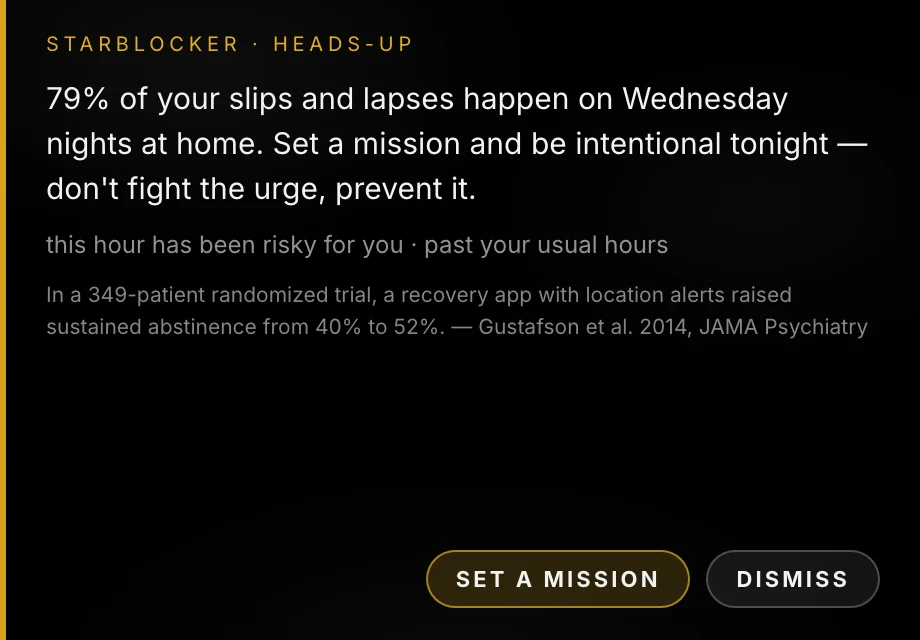
Your device activity, your check-ins and your streak resets build a record of when things actually go wrong. Once it holds up, you get a heads-up walking into the window — in time to make the next hour intentional.
How it learns
-
01
Learn
Records what you do on your devices, and checks in on how you're feeling and what else is going on in your life.
-
02
Connect
Learns which events, emotions, times and places connect to your slips and blocker infractions.
-
03
Warn
Warns you when you're walking into a spot you have lost your intention in before.
A goal-aware blocker
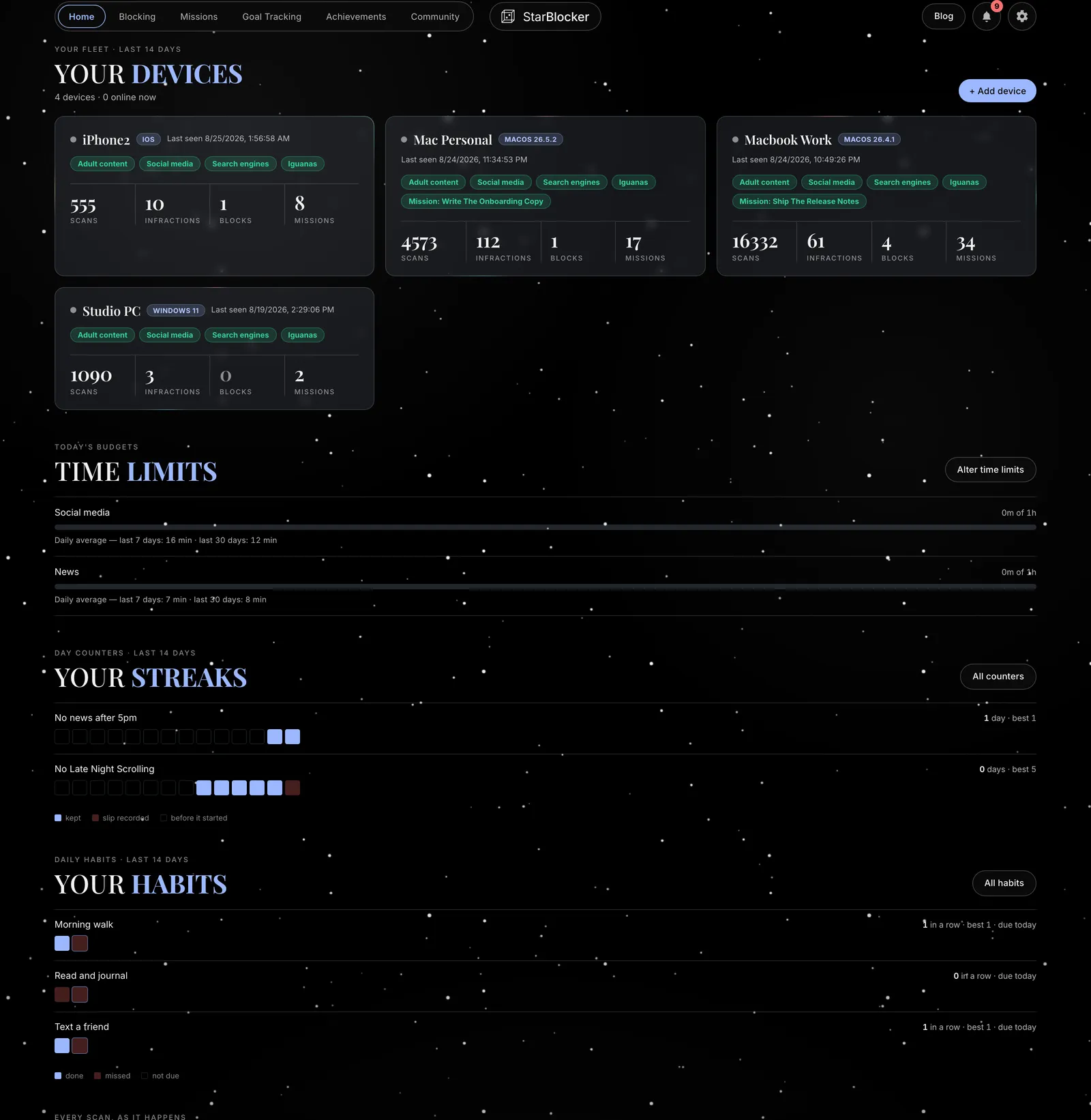
Habits, day counters and emotional check-ins live in the same app as the blocking, and are part of what the warnings read.
Habits
A name and the weekdays it's due. A day you don't schedule is not a miss.
Streaks
Days since, from a date you set. A reset erases the streak, not the history.
64 days
on your record
Achievements
Earn badges for streaks, missions, urges surfed, community contributions and more.
And worn in the community
Anyone have any tips reducing social media use?
Rather than time limits, I use location limits on StarBlocker. When I don't use social media at home, it feels manageable. I can use it on the train or out with friends.
Setting up
is simple
Blocking
Toggle a built-in topic on — or write your own rule in plain English.
Time limits
Give an activity minutes per day, shared across every device.
Missions
Declare what you're doing, and everything else is blocked while it runs.
Habits and counters
Name a habit and the days it's due. Start a counter and it counts.
Community
Celebrate streaks and exchange tips — usernames only, never your screen.
Stay accountable
Add up to two partners. They get reports, they hear the moment protection weakens, and you can put your settings behind their approval.
They hear when protection weakens
A rule switched off, a device gone quiet, an uninstall. Emailed as it happens.
They see the shape, never the screen
Rule names and events. Never a screenshot, a URL or a keyword.
Permission to change settings
Hand a partner the keys, and loosening a rule needs their sign-off.
Removing one takes twenty-four hours
And they're told the moment you ask. A window to talk, not a silent deletion.
To: sam@example.com
Protection weakened
- What changed
- A rule was switched off
- Rule
- Adult content
- When it applies
- Always, on every device
- Device
- MacBook Pro · today, 11:42pm
Everything,
one price
Every feature, five devices, both partners. Trial details at checkout — if a trial is offered, your card is charged when it ends.
Checking current pricing…
Why no free tier: the subscription pays for the vision model looking at your screen thousands of times a day. That is the honest reason.
Prepare in the calm hour
Write the rule now, while it's easy. Trial details at checkout.
- Mac
- Windows
- Android
- iPhone*